CRM Audit: Find the Data Errors That Break Sales Workflows
A practical CRM audit for B2B sales: trace bad records to their source, prioritize the fields that drive decisions, and prevent the same errors returning.
A CRM audit should begin with a broken decision, not a demand to make every field perfect. If two sellers contact the same buyer, a qualified lead lands with the wrong owner, or a forecast cannot be reconciled to real opportunities, the question is: which record, rule, or integration caused the error?
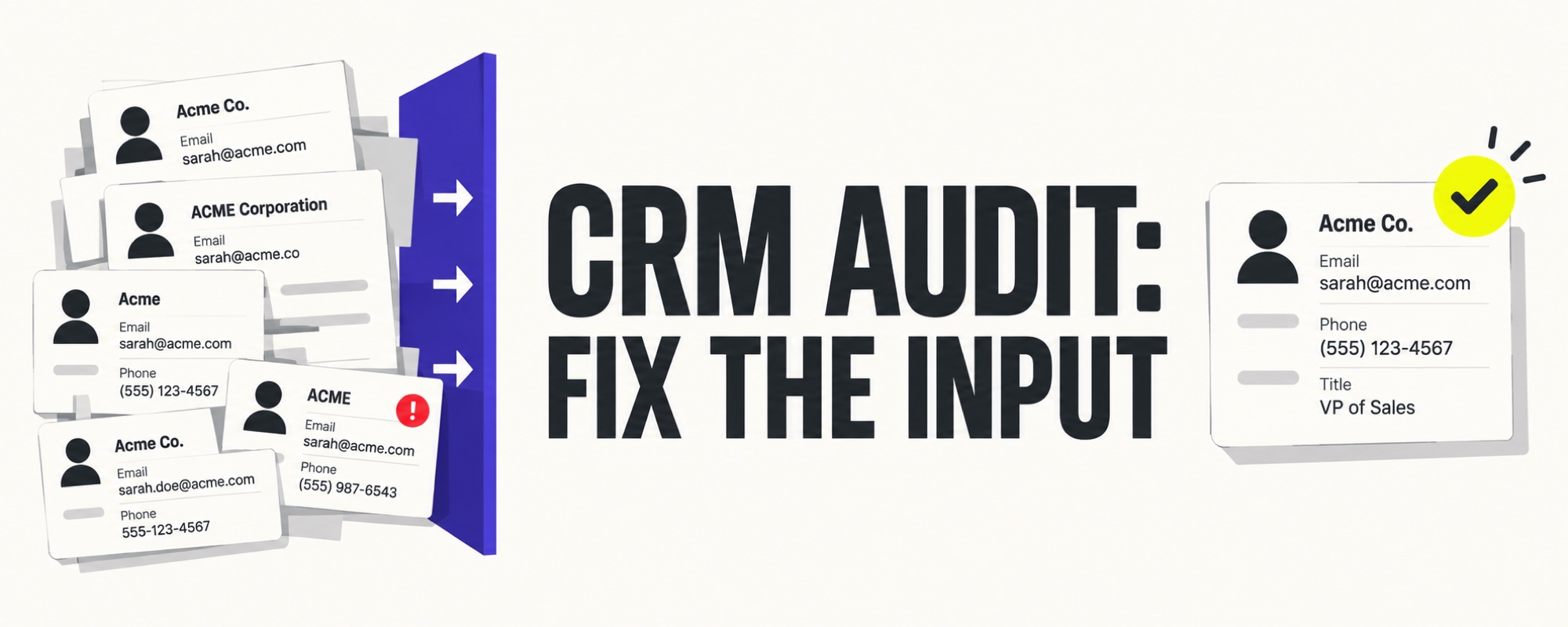
This guide focuses on B2B sales operations. It gives a repeatable way to inspect data quality, fix the highest-impact failures, and stop new errors at entry. It is not a claim that a single cleanup tool can repair every process.
1. Name the decision that bad data is distorting
Pick one workflow: lead routing, account ownership, follow-up, qualification, or forecasting. For that workflow, write down the decision, its owner, the required fields, and the consequence of a wrong or missing value. An empty job title may be inconvenient; an empty account owner may leave a buyer unanswered. Those failures should not receive equal priority.
For a lead-assignment audit, a minimal working set might be company identity, country, territory, customer status, record owner, source, and time of entry. For a forecast audit, inspect stage, amount, expected close date, next step, and evidence that the buyer agreed to it. Adapt the fields to your own process. Do not label a field “mandatory” merely because a vendor template includes it.
2. Sample the records behind that decision
Export or inspect a bounded sample from each relevant entry path: forms, manual creation, list imports, and connected systems. Include recently created records and older records that are still active. Keep the sample small enough to review by hand before designing a bulk fix.
Classify each issue rather than counting a single undifferentiated “bad record” total:
- Missing: a field needed for the chosen decision is empty.
- Invalid: a value is malformed or contradicts a verified source.
- Stale: the value may once have been correct but lacks recent confirmation.
- Duplicate: two records may represent the same person or company.
- Conflicting: two systems disagree on owner, status, or another decision field.
- Unusable: the record is complete but the team cannot act on it safely.
Record the denominator and selection rule alongside every percentage. A convenience sample of ten disputed records is useful for diagnosis, not a reliable estimate of error prevalence across the entire CRM.
3. Trace errors upstream before cleaning in bulk
Follow one incorrect record backwards: who or what created it, what validation ran, which integration last overwrote it, and whether the intended owner saw a warning. If an import adds a new contact for every form submission, merging contacts today will not prevent tomorrow's duplicates. If a sync overwrites a manually verified field, training sellers to update that field again is a temporary patch.
A recent CRM operator discussion makes a useful distinction: the problem can be the order of operations, not the absence of a deduplication button. Treat this as a qualitative signal, not benchmark evidence. In product documentation, Salesforce explains how matching rules, duplicate rules, and review jobs work together. Microsoft describes similar rule-based detection in Dynamics applications. These features can flag records; someone still has to decide which values and history to preserve.
4. Fix identity, ownership, and history with different rules
Do not assume that a matching email means every related field should be overwritten. A contact can change employer; a shared inbox can represent more than one person; two forms from one person are two interactions, not necessarily two contacts. Define a match, a possible match requiring review, and a genuinely new record. Keep submission events, original source, and activity history available even when identities are consolidated.
Set a source of truth per field where systems disagree. Billing details may be governed outside the CRM, while sales ownership is governed inside it. For uncertain merges, assign a reviewer and keep an audit trail. For bulk changes, back up or export the affected set, test a small batch, compare before and after, then expand only if the result is correct.
5. Put controls at the entry points
- Validate only the fields necessary to route or work a record.
- Normalize formats before matching: domain, country, phone, and company naming.
- Check probable matches before creating a new person or account.
- Define which system may update each decision-critical field.
- Route ambiguous records to a review queue instead of guessing an owner.
- Inspect failed imports and sync conflicts on a recurring cadence.
A control must not make it impossible for a seller to save a legitimate lead. Test false positives as well as caught duplicates. A blocker that rejects real customers will be bypassed; a warning no one reviews will be ignored.
6. Measure whether the decision improved
Track the rate of records with the fields needed for the chosen workflow, unresolved possible duplicates, unassigned leads, routing corrections, and sync conflicts. Then check the business effect: response delays, duplicate outreach, or forecast changes caused by record corrections. Use the same sample definition before and after the fix. A prettier database is not the outcome; a more reliable sales decision is.
If your next step is enrichment, keep it separate from this audit. The data-enrichment guide explains provenance and verification. If routing is where errors surface, the speed-to-lead guide helps define response ownership. Start with a single broken workflow, repair its inputs, and repeat the audit before expanding scope.
Ready to prioritize outreach once your records are reliable? Explore Lead Scorer plans.
Frequently asked questions
What is a CRM audit?
A CRM audit checks whether the records, ownership rules, workflows, and reports support reliable sales decisions. It should identify both incorrect data and the form, import, integration, or operating rule that created it.
Where should a B2B sales team start a CRM audit?
Start with one costly decision, such as lead assignment or pipeline forecasting. List the fields that decision needs, sample the records behind it, and trace each failure back to its entry point before cleaning the whole database.
Should duplicate contacts be merged automatically?
Only unambiguous matches should be considered for automated merging. Review conflicting ownership, consent, activity history, company association, and attribution before merging uncertain records.